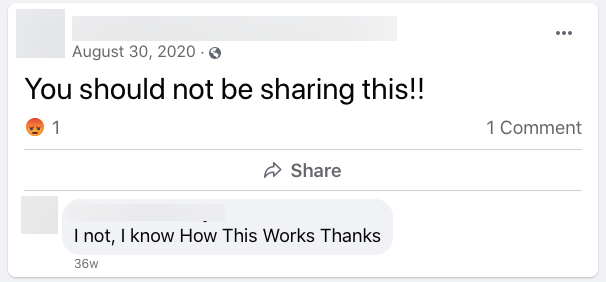
You are seated at your desk in the quiet of the morning, taking a sip of coffee, scrolling through your emails before the day begins. Suddenly, an email pops up with the subject line, “This isn’t good…” Your heart drops into the pit of your stomach yet quickly you click to open in hopes it isn’t anything too terribly bad. Your colleague has sent you a link to a public Facebook post with an employee speaking derogatorily towards your organization. To make matters worse, the post has gone viral. Sitting back into your chair, you have a thought trace through your head.
“Can I fire an employee for this?”
Your mind races and heads down that unforeseen rabbit hole with the next question.
“What are other employees potentially saying online about us?”
“What does our Social Media Policy state again? Do we even have a policy in place???”
“How will we be perceived by our customers after this viral post.”
“Is all of this even legal?”
To quickly answer a few of these questions upfront, yes, you can fire an employee for this, and it is legal.
Here is why:
According to Attorney Sidney L. Gold, not only do employers have the right to check the social media accounts of prospective and current employees, they also have the right to discipline or even fire a worker whose social media activity violates company policy.
This is all in accordance with state-by-state guidelines and your company or social media policy.
Social Media Policy
Oftentimes a social media policy is completely forgotten about until a PR disaster occurs. Pausing to protect your organization from such occurrences will allow future situations to quickly fizzle out. Creating a strong social media policy is essential. Openly discussing with your employees upfront will set expectations and provide everyone with the knowledge to succeed.
According to Digital Information World, about 51 percent of businesses have a social media policy, however, a certain percent of the employees of such offices, still find social media as a distraction during their work.
These seem like small statistics in terms of hours utilized but unfortunately for you, social media adds up to $6,422.50 lost in a year in the United States for one hour each day.
Social media will never stay the same and more than ever, even to sell, social media is being used by employees to gain new leads. It will always evolve and become something different over time. Revisiting your strategy will become essential in maintaining a strong policy.
Sprout Social provides some excellent ideas to help you maintain the health of your policy.
Fired for Posting
We see this all the time. Police officers, nurses, executives, actors, restaurant staff, and many more. No industry is left untouched when it comes to social media.
In our past blog, Fired for Posting on Social Media, Kathy discussed how one hospital in Wiltshire, England, didn’t share the sense of humor displayed by its employees when they took a few seconds out of their workday to lie down in strange places around their workplace, tagging it “The Lying Down on the Job Game.” When a few hospital employees decided to play along, they posted pictures of themselves lying around the hospital on the floor or even on the helipad. The higher ups decided if they had that much time on their hands, why not have more? They were all fired.
So, what can you do in your organization to avoid a PR catastrophe? There are few services offered that can easily eliminate your employee social media paint points.
3 Prevention Methods
Pre-Employment Screening
A social media hiring report is a great addition to a normal background check. Stay safe, compliant, and protected by hiring a third party to assist. FCRA compliant, we have trained specialists who obtain accurate, curated results, that are ethical and projected into a sleek and user-friendly report on your behalf.
Our Social Media Hiring Report (background check for employment) takes every factor into consideration to make sure that the clients we work for stay compliant on a federal and state level. We ensure that you never see what you shouldn’t see– the report turns up only relevant content that can be portrayed as negative and a detriment to the person’s employment with your company. When important content is identified, the report will only show those pieces of content. If nothing is found that falls into what can be legally obtained/considered when making hiring decisions, a “no pertinent information found” report is filed, meaning there is nothing of concern regarding the candidate.
Corporate Intelligence
Price Waterhouse Cooper (PWC)‘s recent report, “23rdAnnual Global CEO Survey,” reveals that around 80% of CEOs have changed their online behavior due to potential risks. Corporate Espionage is alive and well and needs to be taken seriously as more and more employees overshare in social media. This allows for competitors to gain excellent insight into a vast array of information that would not otherwise be easily obtained. Banning employees from using social media at work has proven to be a nightmare and monitoring their social media internally has major privacy concerns. However, when approached correctly this type of monitoring is very valuable to any business of any size.
What makes this tricky, is that the company still has the responsibility to keep their employees safe, protect assets and data, mitigate risk for threats of fraud and monitoring reputation. High level executives travel to areas of the world that do not share the same security measures we do in the United States. Using geo-tagged software can show threats in areas ahead of time, alerting executives prior to arrival.
Employee Monitoring
Have an employee you are suspicious of not following your specific social media policy guidelines? Monitoring an employee for posts that are publicly available is something an employer has the right to do, especially If the employee is posting about work related misconduct, confidential company information or financial information.
Being proactive in enforcing your social media policy is key.